Parsware

Parsware — build enterprise applications faster

The Parsware Platform

The applications your business runs on, built in weeks.

Tables and forms, approval processes, pixel-perfect reports, and the security model to put them in front of a whole company. Model it in a browser; ship it through development, test and production the way software is supposed to move.

See what it does

Processes

Draw the approval, then watch it run.

Human tasks, timers, escalation and conditions on a swimlane canvas — with a live diagram of where each run actually is, and a history of who did what and when.

How processes work

For Power Apps

The reports and screens Power Apps cannot draw.

A managed Dataverse solution: documents that print exactly as designed, and screens drawn pixel by pixel against your own tables. Your data never leaves your tenant.

How it works

Slide 1 of 3: The applications your business runs on, built in weeks.

The platform at a glance

Everything an internal application needs, in one product

Twelve parts built to work together, with one data model, one security model, one scripting language and one packaging format underneath all of them — not a set of products to integrate.

See the whole platform

Model-Driven Apps

Declare a table once, and the app follows

Columns, relationships and choice lists become real database tables. Forms, views and lookups all read that one definition, so a column that changes changes on every screen that uses it.
  • Forms with tabs, sections, lookups and related records
  • Views with filters, sorting, saved views and spreadsheet import
  • Calendars, timelines and charts over the same tables
Read the guide
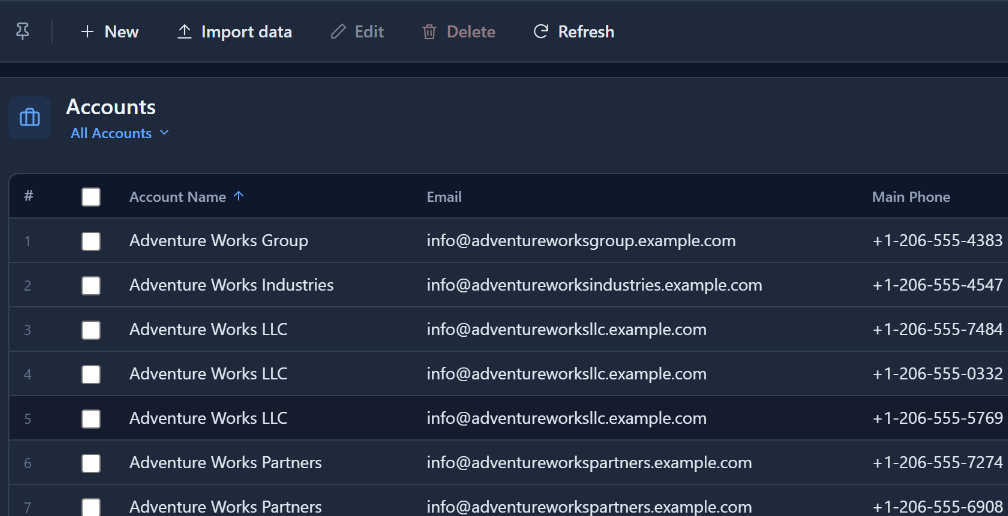
An Accounts view in a model-driven app: a grid of accounts with filter, sort and search, and the app’s navigation down the side

Studio apps

Draw the screen, then say what each part is

The Application Studio is for the screens a form cannot express. Draw them on a canvas, mark a shape as a list, a form or a button, bind it to your tables, preview it and publish it.

  • Lists, forms, file pickers and charts bound to live records
  • Navigation, modals and drawers, and screens that update themselves
  • A phone app on the same data, or a screen inside a model-driven app
Read the guide
The Application Studio with a capital request app: two phone-sized screens, New request and My requests, drawn on the canvas

Processes

Draw the approval, then watch it run

A swimlane designer with an engine behind it. Tasks reach the right person in the app they already use, and every run has a live diagram of where it is.
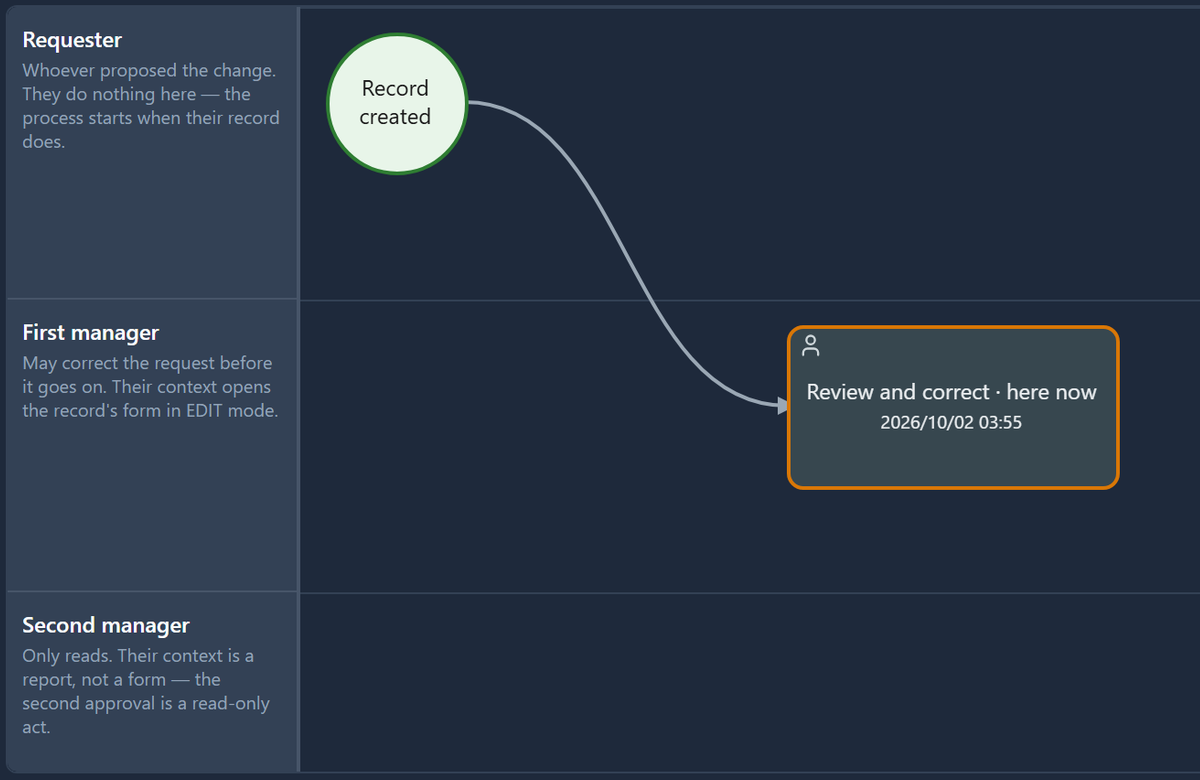
  • Lanes for roles, teams and people, with work routed by rules
  • Timers, deadlines, parallel sign-off and branches on conditions
  • A history of every step: who did what, and when
Read the guide
A running approval process: its diagram shows the step it is waiting on, and a table below names who it is waiting for

Reports

Reports that print exactly as designed

Lay a document out at the size of the paper and bind it to a table or a saved query. What the designer shows is what appears on screen, in a PDF and out of the printer.
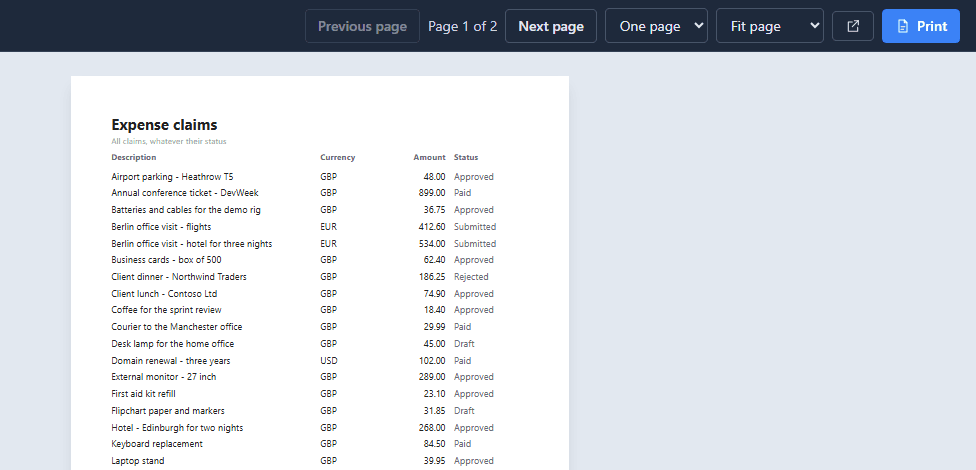
  • Bands, groups, totals and formatted expressions
  • Charts, barcodes and QR codes
  • Right-to-left layouts for Persian and Arabic
Read the guide
An expense claims report open in an app, shown page by page as it will print

Graphic Designer

One canvas behind every drawing

Reports and Studio screens are drawn on the same vector designer, so what a maker learns once works in both. Every drawing is saved as a plain document with a published schema, so it can be reviewed, generated and imported like code.

  • Frames, auto layout and resize constraints
  • Shared styles, design tokens and a component library
  • Components drawn once and placed on every screen that needs them
Read the guide
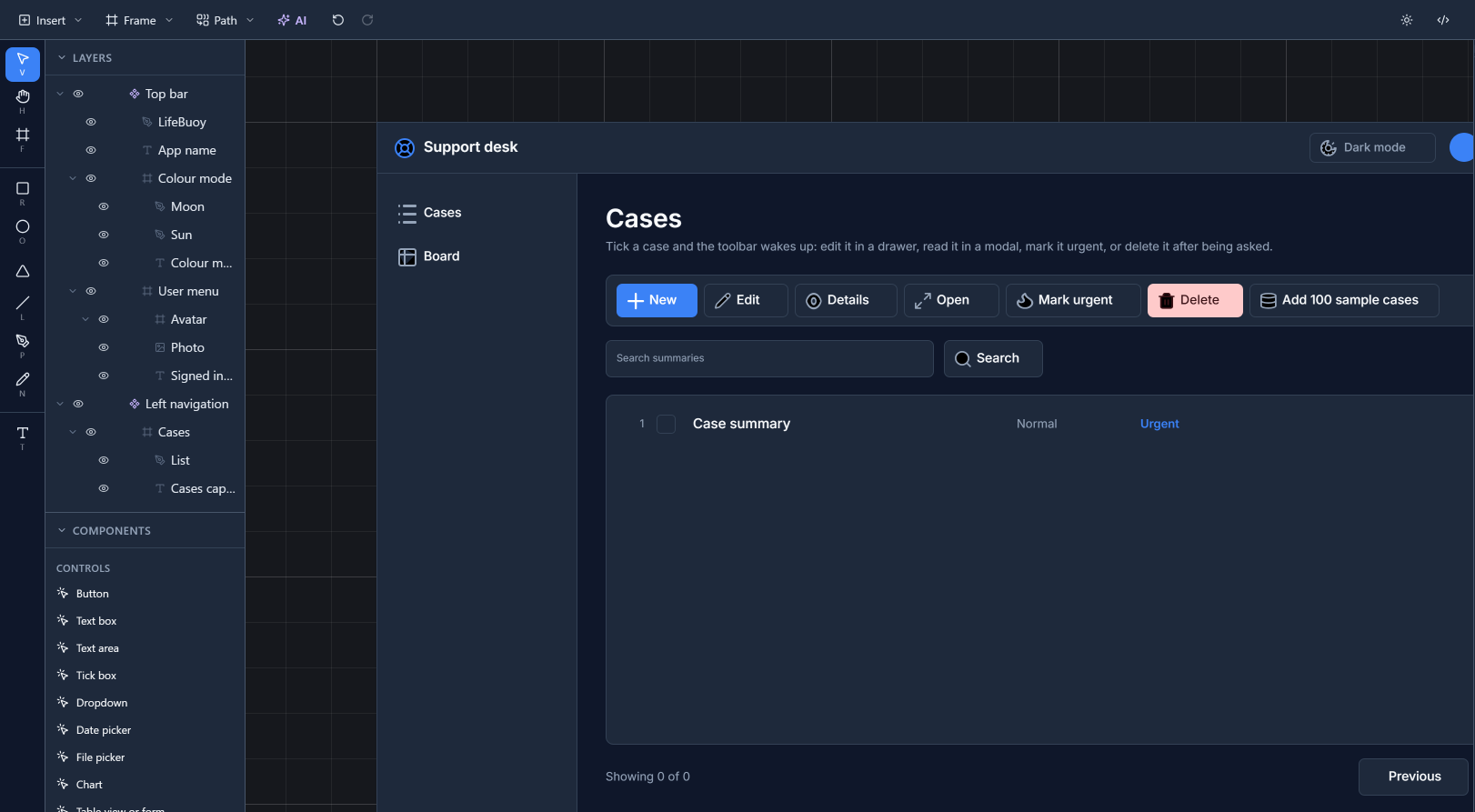
The Graphic Designer: layers and components down the left, a support desk screen on the canvas, and properties on the right

BS Lang

One language for every rule

Form logic, server-side validation, process conditions, custom APIs and functions are all written in BS Lang — a small typed language that runs in the browser and on the server with the same results.

  • Query records, call an outside service, send an email
  • Shared scripts, imported wherever the same logic is needed
  • An editor with errors as you type, completion and signature help
Read the guide
The BS Lang editor with a short script, and a problems panel naming two mistakes by line and column

Two products

Run it as your platform, or add it to Power Apps

The same reporting and screen-drawing engine, in two places. Which one you want depends on where your data already is.

The Parsware Platform

Your own environments, your own data model, your own apps — hosted by us or by you. This is the whole product: identity, apps, processes, reports, extensibility and ALM.

What it includes

Parsware for Power Apps

A managed solution you install into your own Power Platform tenant. Pixel-perfect reports and drawn screens inside your model-driven apps, against Dataverse. Your data never leaves your tenant.

How it works

Pricing

Priced by environment, not by seat

Buy the environments you build in — 3 to start, add more when you need them. Unlimited makers and unlimited end users in every one of them, and a 30-day trial before you decide.

Tell us what you are building

Tell us about the application you have in mind. Whoever replies has built the platform, and will tell you straight whether it fits.